
Note2Tabs Guitar tab editor
AI Guitar Tab Generator from Audio or YouTube
Try an AI guitar tab generator free with audio or YouTube. Create structured, editable tabs you can play, arrange, practise, and export online.
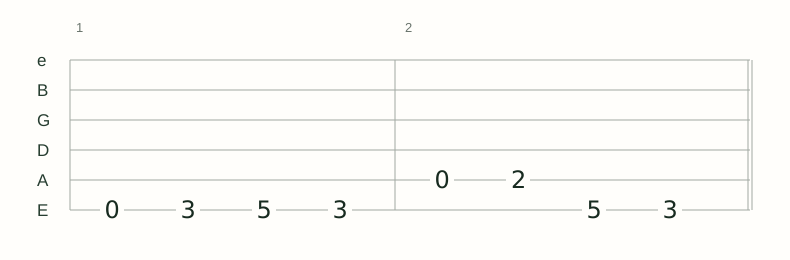
How it works
Add a clear source
Upload an MP3, WAV, or other audio file, or paste a public YouTube link.
Generate the tab
Choose a focused section and create structured, playable guitar tablature.
Make it yours
Play it back, arrange sections, choose fingerings, add techniques, practise, and export.
From a recording to an editable guitar tab
Note2Tabs analyzes pitch and timing in a recording, maps the performance onto guitar strings and frets, and creates a structured tab rather than a static image or block of text.
The generated tab opens as a native editor project. Use the complete editor to explore comfortable positions, chord shapes, song sections, guitar techniques, playback, and practice tools—or open the editor independently and write from scratch.
- Free to try Use the free monthly credits to test a short riff or song section before committing to a longer workflow.
- Audio or YouTube input Start with an uploaded recording or a focused segment from a public YouTube video.
- Complete guitar editor Arrange notes, timing, string choices, chord shapes, techniques, and fingerings.
Try the AI guitar tab generator free on a short section
You can test Note2Tabs with free monthly credits before processing a longer recording. Start with a clear riff, verse, or solo so you can hear the source and generated tab side by side, inspect the detected notes, and decide how you want to play them.
The result is not locked into a preview. It becomes an editable tab with playback, alternate string and fret positions, chord shapes, song sections, practice tools, and export options.
What helps the AI capture the most detail?
Clear guitar audio gives the model more musical detail to work with. An isolated guitar, direct recording, lesson clip, or audible cover helps the transcriber focus on the guitar when drums, vocals, and several instruments overlap.
The generated project stays fully editable, so you can choose alternative fingerings, add expressive techniques, arrange sections, and shape the tab around how you want to play it.
- Begin with a focused riff, solo, or song section.
- Use the clearest version of the recording available.
- Choose the Light or Heavy model for your recording.
- Play the tab alongside the original recording when learning the part.
Choose the workflow that matches your source
Use audio upload when you have the original MP3, WAV, rehearsal recording, or isolated stem. It gives you direct control over the source file and supports full-length audio transcription on Premium.
Use YouTube mode for a public cover, lesson, live performance, or song section that you do not have as a local file. Select the riff or solo you need, then open the generated tab in the same complete editor.
Transcription, editing, and practice in one connected workflow
The AI transcriber turns sound into structured tablature and saves transcription time. The editor then gives you creative control over repeated phrases, hand positions, chord voicings, song sections, playback, and practice.
These products work together without depending on each other: generate a tab from audio when that is the fastest starting point, or open the editor directly to write a riff, lesson, arrangement, or complete song yourself.
Frequently asked questions
What does the AI guitar tab generator produce?
It produces structured tablature with detected notes, timing, and playable guitar positions. The tab opens as a native project in the Note2Tabs editor.
Can I add guitar techniques and choose different fingerings?
Yes. Generated tabs remain fully editable, with tools for fingerings, chord shapes, bends, slides, hammer-ons, pull-offs, timing, arrangement, playback, and practice.
Is the AI guitar tab generator free?
Note2Tabs is free to try with monthly transcription credits. The free plan is useful for testing short riffs and song sections, while Premium adds more credits and full-length audio-file transcription.
Can AI generate guitar tabs from an MP3 or WAV file?
Yes. Upload MP3, WAV, M4A, AAC, FLAC, OGG, or WebM audio, choose the section, and generate an editable guitar tab.
Can it generate guitar tabs from YouTube?
Choose any section of a public video. Clip length depends on your plan; you do not need to start at the beginning.
Does it work for a complete song?
Premium supports full-length uploaded audio-file transcription. YouTube input is designed for focused clips, and complex songs still benefit from section-by-section review.