
Note2Tabs Guitar tab editor
MP3 to Guitar Tabs Converter
Convert MP3 audio to playable, editable guitar tabs online. Select a song section, generate tablature, then practise, edit, and export it with Note2Tabs.
How it works
Choose an MP3
Upload an MP3 file from your device to begin the transcription flow.
Convert to tab
Generate a structured guitar tab from the selected audio.
Open your project
Play, arrange, practise, edit, or export the tab in your browser.
Convert an MP3 into guitar tabs you can edit and play
Upload an MP3 from your computer or phone and choose the part you want to convert. Note2Tabs analyzes its pitch and timing, maps the performance to guitar strings and frets, and opens the result as a native editor project.
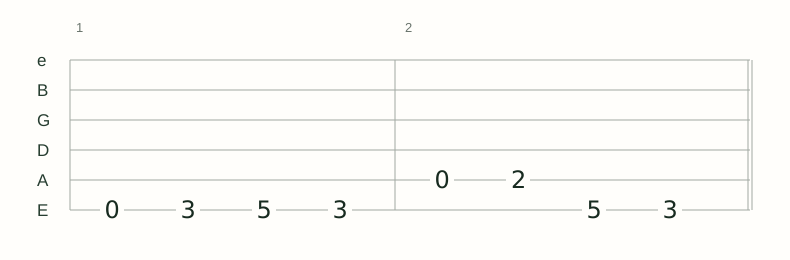
The output is structured tablature rather than an image or plain text. Play the transcription, choose alternate fingerings, organize sections, practise difficult bars, and export the finished tab from the same browser workspace.
- Fast clip selection Set a start and end time before transcription instead of trimming the MP3 yourself.
- Two model choices Choose Light or Heavy for your recording.
- Continue in the editor Shape the generated notes into the fingering and structure you prefer.
How to get a clearer MP3-to-tab conversion
Use an MP3 in which the guitar is easy to hear. Isolated guitar, direct recordings, lesson demonstrations, covers, and sections with fewer overlapping instruments give the transcriber more detail to analyze.
Start with the riff, solo, or section you need most. A focused selection is faster to review and lets you confirm that the source is suitable before processing more of the song.
- Choose the clearest available version of the recording.
- Remove long silence or unrelated sections from the selected range.
- Choose the Light or Heavy model for your recording.
- Compare playback with the source before choosing final fingerings.
MP3 transcription and the guitar tab editor work together
The transcriber is useful when sound is your starting point. The editor is a complete product of its own for writing tabs from scratch, importing existing files, arranging tracks, choosing fretboard positions, and practising.
After MP3 conversion, every generated note remains editable. You can keep the transcription as a starting point, rewrite a phrase, add guitar techniques, or combine it with parts you enter manually.
Frequently asked questions
Do I need to convert my MP3 first?
No. MP3 is accepted directly by the uploader, so you can select a clip and start transcription in the browser.
What is the MP3 upload limit?
Free accounts can upload files up to 50 MB; Premium supports files up to 200 MB. Transcription length limits are shown before you start.
Can an MP3 be converted into editable guitar tabs?
Yes. Note2Tabs creates a structured editor project with notes, timing, strings, and frets rather than returning only an image or text block.
Can I convert an MP3 to guitar tabs for free?
The free plan includes monthly credits for trying focused MP3 sections. Current file and transcription limits are shown before processing begins.
Can I edit the tab after converting the MP3?
Yes. The result opens in the Note2Tabs editor, where you can change timing, fingerings, song sections, techniques, playback, and practice settings.