
Note2Tabs Guitar tab editor
Audio to Guitar Tab Converter
Convert audio to playable, editable guitar tabs online. Upload MP3, WAV, M4A, or FLAC, generate tablature, then practise, edit, and export it.
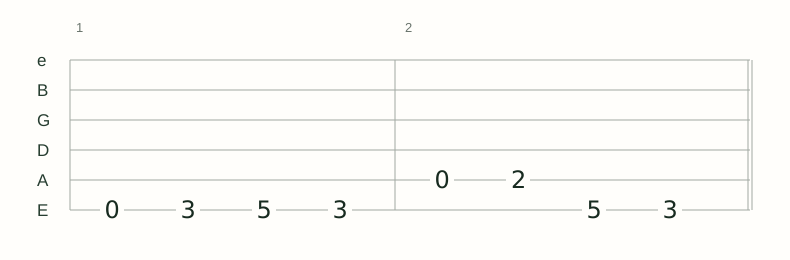
How it works
Upload audio
Choose an MP3, WAV, or other supported audio file and select the section you need.
Generate tabs
Note2Tabs detects pitch and timing, then creates a structured guitar tab you can play and edit.
Open your tab
Play it back, arrange sections, choose fingerings, practise passages, and export from the editor.
Turn a recording into a tab you can actually work with
Note2Tabs turns a selected part of an MP3, WAV, or other recording into structured tablature with notes, timing, and playable guitar positions. The result opens as a native editor project, ready for playback, arrangement, practice, and export.
Use a clear guitar recording when possible and start with the section you care about most. Short, focused clips process quickly, while Premium supports full-length audio-file transcription for complete songs.
- Common audio formats Upload MP3, WAV, M4A, and other common browser-supported audio files.
- Structured guitar tab Move from a recording to timed, playable tablature instead of a static block of text.
- Complete editor included Write, arrange, play, practise, and export from the browser editor.
Which recordings convert best?
A clear guitar recording, isolated stem, direct input, or rehearsal clip gives the model the most detail to work with. Guitar that is clearly audible and separated from vocals, bass, drums, or another guitar helps preserve the performance in the tab.
You do not need studio-quality audio. Removing long silent sections and choosing the clearest available version helps the transcriber focus its processing on the music you want.
- Use MP3 for convenient, smaller files.
- Use WAV or FLAC when you have a cleaner lossless source.
- Choose a focused clip when you only need one riff or solo.
- Use full-length audio-file transcription on Premium when you need the complete song.
Converter or guide: choose the right page
This page is the direct product workflow: upload audio, generate a tab, and open it in the editor. If you are still deciding how to prepare a source or isolate guitar in a dense mix, use the detailed audio-to-tabs guide linked below.
Keeping those jobs separate makes the next action clear: use the converter when your file is ready, and use the guide when you want technique and source-preparation advice.
Frequently asked questions
What does the audio transcriber create?
It creates a structured, playable guitar tab with detected notes, timing, and guitar positions. It opens as a fully editable project in the Note2Tabs editor.
Which audio files can I upload?
The uploader accepts common audio formats including MP3, WAV, M4A, AAC, FLAC, OGG, and WebM, subject to your plan's size and clip limits.
Can I convert an MP3 to guitar tabs for free?
Yes. The free plan includes monthly credits for testing short audio sections. Premium adds more credits, larger uploads, and full-length audio-file transcription.
Can I convert a full song into guitar tabs?
Yes. Premium supports full-length uploaded audio-file transcription for complete songs.
What should I do if the guitar is buried in the mix?
Choose a clearer recording, isolated stem, cover, or focused section so the model can capture more of the guitar performance.