
Note2Tabs Guitar tab editor
Free Guitar Tab Maker
Make guitar tabs online for free. Write notes and chords, arrange sections, play and practise your tab, or start from an audio transcription.
How it works
Start a blank tab
Open the editor in guest mode, then sign in only when you want to save your work.
Create your tab
Generate from audio or write the complete arrangement in your browser.
Edit and save
Refine the tab and keep your work in your library when signed in.
A free online tab maker built for guitar
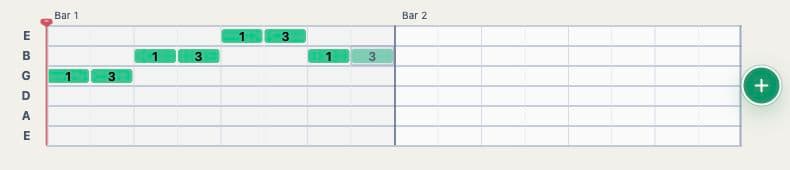
Start a blank tab without installing software or creating an account. Add notes and chords on a guitar-aware timeline, choose playable strings and frets, organize the song into sections, and listen back while you work.
Unlike a plain text tab creator, Note2Tabs keeps timing, pitch, fingering, playback, and practice connected. Sign in only when you want to save the project to your library and continue on another device.
- Start without installing software Create and edit tablature in a modern browser on desktop or mobile.
- Free monthly credits Free accounts receive 10 monthly transcription credits for testing riffs and short ideas.
- Save your work Signed-in users can keep transcriptions and editor projects in their Note2Tabs library.
Create tabs from a recording or start with a blank editor
Use the free plan to try audio transcription on short clips, or open the browser editor and write tablature yourself. Both routes lead to the same editable workspace, so you can combine generated notes with your own changes.
The editor is designed around guitar work: multiple tracks, playback, practice loops, fretboard-aware note positions, keyboard shortcuts, and import or export tools are available from the browser.
- Write riffs, solos, chord progressions, and complete arrangements.
- Choose alternate string and fret positions for the same pitch.
- Loop sections and slow playback down while practising.
- Import an existing file or continue from an audio transcription.
Make a tab yourself or generate a starting point
Use the editor as a standalone guitar tab maker when you already know the part. If you are starting from a recording, the AI transcriber can generate a structured first version and open it in the same editor for review and arrangement.
The two products complement each other without depending on each other: manual tab making remains available on its own, and every generated transcription stays editable.
Frequently asked questions
Is the guitar tab maker free?
Yes. The free plan includes the browser editor and 10 monthly transcription credits, with lower upload and clip limits than Premium.
Can I make a tab without uploading audio?
Yes. Open the guitar tab editor to create a blank project, import an existing tab file, or type the notes yourself.
Do I need an account to start making tabs?
No. You can open a blank tab in guest mode immediately. Create an account when you want to save projects to your library.
Can I play and practise the tab I make?
Yes. The editor includes playback, looping, speed training, and practice mode alongside the writing tools.