
Note2Tabs Piano sheet music editor
Write piano music notation online
Write piano sheet music in an online music notation editor. Use treble and bass staves, a piano roll and playback, then export MIDI or MusicXML.
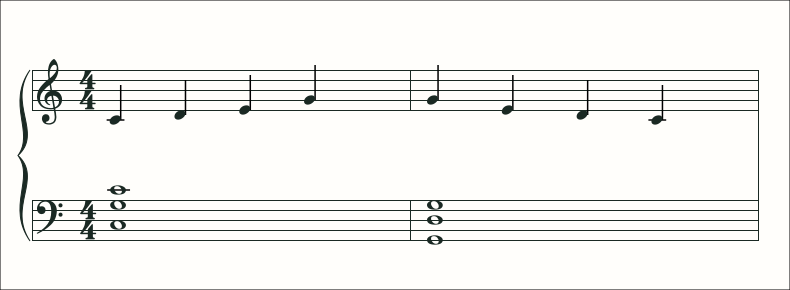
How it works
Start a piano score
Open a piano track directly. Write in guest mode or sign in to keep the piece in your library.
Shape the arrangement
Place notes and chords, choose durations and edit the melody and accompaniment in context.
Hear what you wrote
Play the part back, loop a section for practice and export your music when it is ready.
An online music notation editor for piano
Use the piano score editor to create sheet music without installing notation software. A piano arrangement needs more than a list of pitches. The duration of a bass note, the spacing between melody notes and the voicing of a chord all change how the piece feels. Edit those decisions in sheet view, with treble and bass staves for the complete part.
Switch to MIDI view when you want to see note lengths and overlaps directly. Changes belong to the same project, so you can move between a readable score and a timing-focused piano roll without maintaining two separate arrangements.
Write a melody, build an accompaniment
Start with a short melody or a chord progression. Enter the notes, listen back and add the bass part beneath it. Keep repeated phrases together and check transitions between sections before expanding the piece.
Use the key tools as a guide while writing, then adjust individual notes and durations for the phrasing you want. Playback lets you check the result immediately, including from a phone.
Bring an existing piano part
Import supported MIDI or MusicXML files when the notes already exist. Open the pitched track to review the notation, then inspect the piano roll for overlapping voices or a sustained chord.
When a recording is your source, start with piano transcription and continue editing the generated part in the same workspace. When you already know the notes, the blank piano editor is the direct route.
Read the MIDI-to-sheet-music guidePractise and keep the arrangement
Loop a difficult passage and choose a slower practice playback speed. Save the project for your next session, export MIDI for production, or export MusicXML to continue engraving in a notation application.
Piano guides
- How to Transcribe Piano Audio to Sheet Music
Check melody, accompaniment and note lengths, then choose MIDI or MusicXML for your piano arrangement.
- How to Edit Piano MIDI as Sheet Music and Music Notation
Move between piano roll and notation to check rhythm, voicing and the placement of a piano part.
- How to Write Piano Music Notation Online
Write a melody, add accompaniment and check your piano score with notation, piano roll and playback.
- Piano Roll vs Sheet Music: When to Use Each View
Compare piano roll and staff notation for writing, checking note overlaps and practising an arrangement.
- How to Transcribe Piano from YouTube
Choose a piano passage, generate editable notes and refine the music notation for practice.
- How to Fix a Piano Transcription
Correct pitches, repeated attacks and note lengths, then check the bar structure and readability of the score.
Frequently asked questions
Can I write piano sheet music without importing a file?
Yes. Open a blank piano track and write notes and chords directly in the music notation editor. You can inspect the same part in the piano roll and hear it with playback.
Is the online piano editor free?
Yes. You can start writing in guest mode without installing software. Sign in to save the project to your library.
Does the piano editor have playback?
Yes. Play and pause from sheet or practice view on desktop and mobile, and return to the beginning when you want to rehearse again.
Can I switch between notation and piano roll?
Yes. Sheet and MIDI views work with the same notes in your piano track.
Can I export my piano music?
Export MIDI, MusicXML or a Note2Tabs project file to keep working with the arrangement.