
Note2Tabs Audio to bass tabs
Turn bass audio into tabs
Transcribe a bass recording into editable tablature. Upload your audio, generate tabs, then listen, refine the bassline and export your part.
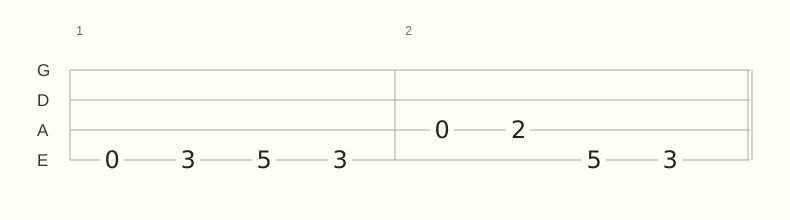
How it works
Choose your recording
Upload your bass audio and select the passage you want to transcribe.
Generate bass tabs
Run the transcriber to turn the recording’s notes and timing into editable tablature.
Make it your own
Listen back, refine the notes and fingering, and export the part for practice or arranging.
From a recording to a bassline you can practise
Use a recorded riff, rehearsal take or bass cover as the starting point for your tab. Audio transcription gives you notes and timing to work with, so you can spend your session learning and shaping the part.
Follow the groove in playback, check the rhythm and work through a phrase at a time. Keep the transcription editable as you choose positions that suit how you play the bass.
MP3, WAV and your own bass recordings
Start with an MP3, WAV or another supported audio file. A direct bass recording or an isolated bass stem makes it easier to hear the line you want to learn, from a repeating groove to a walking bass passage.
Choose the clearest recording you have and select the section you need. For a longer arrangement, work through the song’s sections and keep developing the part in the editor.
Hear the rhythm. Adjust the fingering.
Bass parts depend on both pitch and timing. Play the tab back while checking note lengths, rests and the way the line sits across the bar. Loop a passage to practise the groove.
Use the bass editor to adjust string and fret positions on a four-string E–A–D–G staff. Arrange bass and guitar parts together when you want to develop the rest of the song.
See the bass editorKeep the part after transcription
Export a text tab for a readable part, MIDI for your next music session or MusicXML for a notation workflow. Save a Note2Tabs project file to keep working with the editor data.
If you already know the notes and want to write them yourself, open a blank bass track instead. The bass tab editor takes you straight to writing without uploading a recording.
Frequently asked questions
Can I transcribe bass audio into tabs?
Yes. Upload a bass recording to the transcriber, generate an editable tab and continue refining the part in the editor.
Can I use an MP3 bass recording?
Yes. You can upload MP3, WAV and other supported audio formats through the transcriber.
What recording should I use?
Use a recording where you can hear the bassline clearly. A direct recording, bass cover or isolated bass stem is a useful starting point.
Can I edit the bass tab afterwards?
Yes. Adjust notes, rhythm and fretboard positions, use playback and loops, and arrange the part in the editor.
Can I try bass transcription for free?
Yes. The free plan includes transcription credits. You can view the available plans and credits on the pricing page.
Can I write a bass tab without audio?
Yes. Open the bass tab editor to start a blank four-string bass track and enter the part yourself.