
Add a chord track
Keep rhythm-guitar chords separate from lead-tab or melody tracks.
Build chord tracks with playable fingering diagrams, alternate voicings, and editable downstrokes, upstrokes, and muted strums.
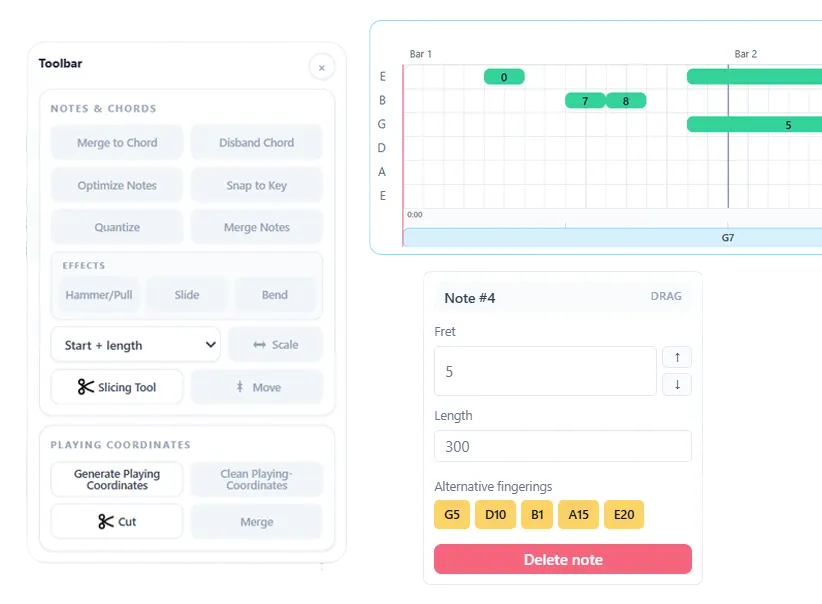
Keep rhythm-guitar chords separate from lead-tab or melody tracks.
Review the chord fingering diagram and select the shape that suits the arrangement.
Place downstrokes, upstrokes, and muted strokes, or start from a quick rhythmic pattern.
A chord name does not fully describe a guitar part. Its voicing determines the notes and hand position, while the strumming pattern determines the rhythm and feel. Note2Tabs combines both decisions in a dedicated chord track.
Choose among available chord fingerings, view the diagram, adjust the chord length, and open the strum editor to place individual strokes. Quick whole-beat, half-beat, and quarter-beat patterns provide a starting point that remains editable.
Arrange chords on their own timeline alongside lead and tab tracks.
See the strings and frets used by the current voicing while you edit.
Place down, up, and muted strokes and hear them during playback.
Open-position and movable chord shapes can represent the same harmony while sounding and feeling different. Comparing voicings inside the tab helps you choose one that connects smoothly to the chords around it.
Start with a quick repeated pattern, then drag, add, remove, or change individual strum markers. This makes it possible to preserve accents, muted strokes, and syncopation instead of displaying only a chord symbol above the bar.
Open the editor in guest mode, then sign in only when you want to save your work.
Yes. Chord tracks can sit alongside other guitar tracks in the same editor project.
Yes. Chord fingerings are shown as playable string-and-fret shapes, with alternative voicings available where supported.
Yes. Add or move downstrokes, upstrokes, and muted strokes, or begin with one of the quick strumming patterns.
Start blank, import a file, or begin with a transcription. No installation required.