
Select the difficult bars
Choose the section you want to repeat instead of restarting the whole song.
Loop difficult guitar-tab sections, slow playback down, and increase the tempo automatically as you build accuracy and speed.
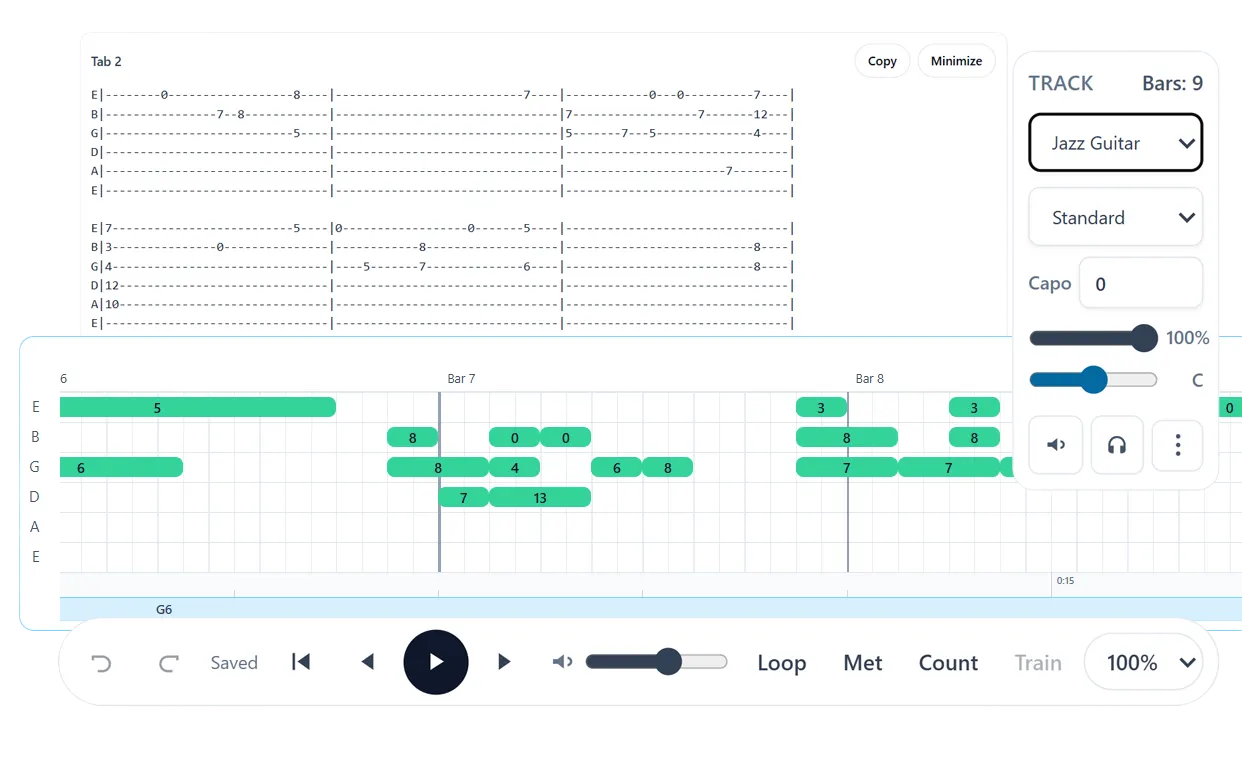
Choose the section you want to repeat instead of restarting the whole song.
Slow playback down until the notes, rhythm, and fingering are under control.
Enable the speed trainer to raise the playback rate by your chosen step after each loop.
Reading a difficult passage from the beginning every time wastes practice time. Note2Tabs lets you select a range of bars, loop only that section, and keep the tab visible while it plays with guitar sounds.
The speed trainer begins at the playback rate you choose and increases toward a target in configurable steps. Because the practice view and editor share the same project, you can stop, correct a fingering or rhythm, and immediately try the loop again.
Repeat a selected section without rebuilding or exporting a separate audio loop.
Slow down for accuracy or rehearse above normal speed when appropriate.
Choose a target and increment so each completed loop can become slightly faster.
Short loops make it easier to isolate a position shift, bend, fast run, or chord change. Begin slowly enough to play cleanly, then increase the tempo only while the phrase remains controlled.
If a fingering or rhythm remains awkward, pause playback and correct it in place. This keeps practice feedback connected to the saved tab instead of forcing you to remember changes across separate tools.
Open the editor in guest mode, then sign in only when you want to save your work.
Yes. Select the bars you want and enable the practice loop to repeat that range.
Yes. Playback speed is adjustable, so you can practice below normal speed before working upward.
It can increase playback by a chosen step after each loop until it reaches your target speed.
Start blank, import a file, or begin with a transcription. No installation required.