
Load the music
Open a tab you created, imported, or generated from a recording.
Detect the likely key of a guitar tab, snap notes to its scale, and step pitches up or down through the active key without rebuilding the tab.
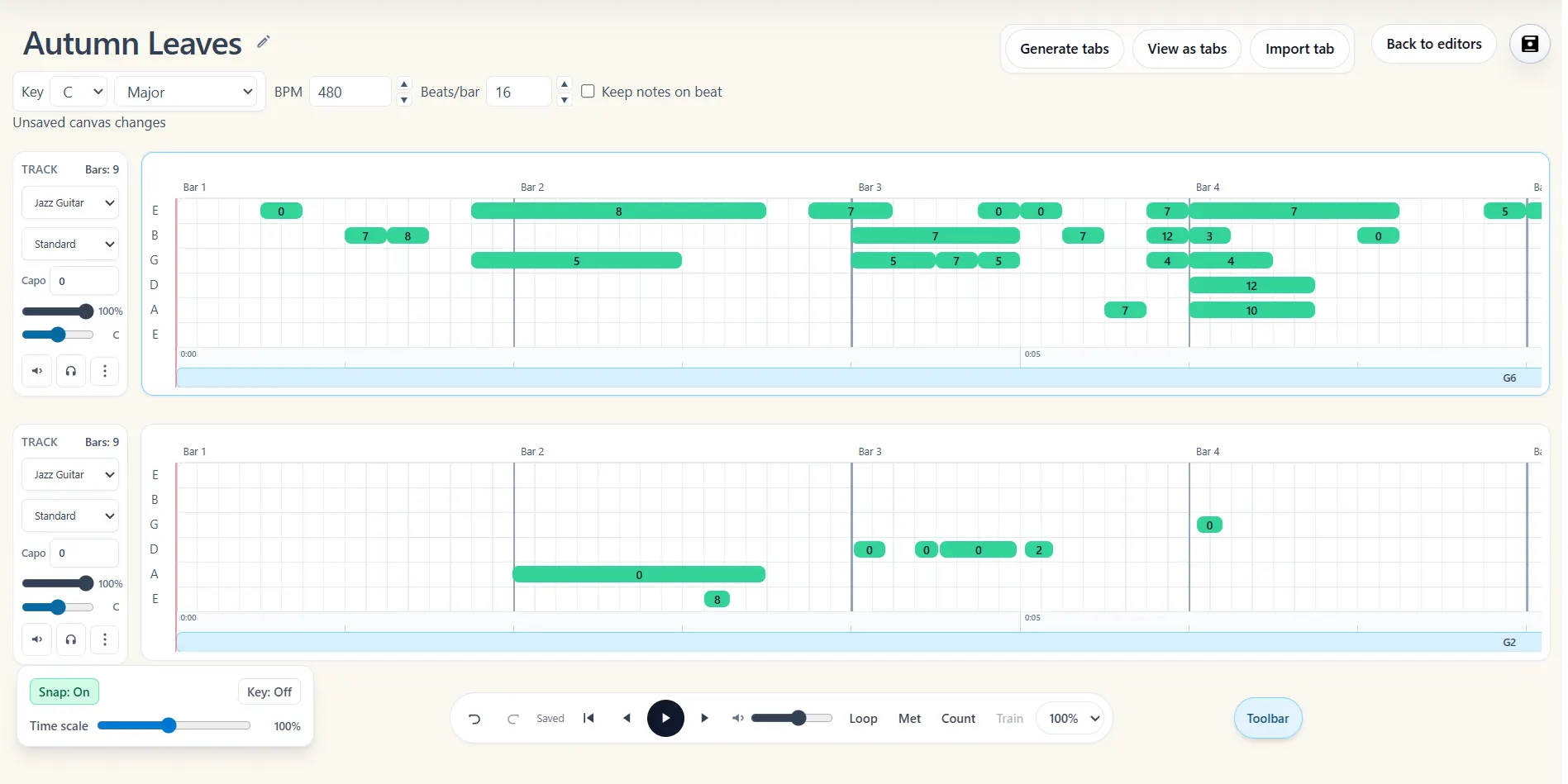
Open a tab you created, imported, or generated from a recording.
Analyze the notes and chords for a likely key, or select the scale you want to use.
Keep new notes in key or move a selected pitch up and down through scale tones.
Key detection gives you a useful musical starting point when a transcription or imported tab does not identify its key. Note2Tabs analyzes the notes and chords already in the editor and lets you confirm or replace the detected result.
Once a key is set, snap-to-key can constrain newly placed notes to the chosen scale. The plus and minus note controls can then move a selected pitch to the next scale tone while keeping a playable string-and-fret position.
Detect a likely root and scale from the notes and chords in the current tab.
Place new notes with the active key as a guide instead of correcting every pitch afterward.
Move a selected note to the next pitch in the key and continue editing in the same workspace.
Key detection is especially useful after importing MIDI, MusicXML, or an AI transcription whose pitch events are present but whose musical context is not labeled. The detected key is a suggestion: borrowed chords, modal phrases, and chromatic notes can make more than one interpretation reasonable.
Turn snap-to-key on while sketching a melody or riff, then turn it off whenever you need a chromatic passing tone, bend target, or outside note. The tab remains fully editable either way.
Open the editor in guest mode, then sign in only when you want to save your work.
Yes. The editor can estimate a likely key from the notes and chords in the current project.
It guides newly placed notes toward pitches in the selected scale. You can switch it off whenever the music needs notes outside that key.
They move a selected note to the next playable pitch above or below it in the active key.
Start blank, import a file, or begin with a transcription. No installation required.