
Note2Tabs Ukulele transcription
Transcribe a ukulele recording
Turn a ukulele recording into editable notes and timing. Review the melody, build the arrangement and continue writing on a four-string ukulele track.
How it works
Choose the recording
Upload a ukulele take and select the melody or fingerpicked passage you want to work on.
Review the notes
Run the audio transcriber and listen to the generated notes and timing in the editor.
Arrange for your instrument
Use a four-string ukulele track to write the part in your tuning and choose playable fret positions.
Keep the idea you heard
Use a ukulele recording to capture a melody, revisit an improvisation or work out a fingerpicked phrase. The transcriber gives you pitches and timing to review, and the editor gives you a place to build the arrangement.
Transcribed pitches and ukulele fret positions are different musical decisions. Review the notes first, then choose positions for your instrument’s high-G or low-G tuning in the ukulele editor. A comfortable arrangement keeps repeated phrases in positions that make sense under your fingers.
Start with the melody or a fingerpicked passage
Choose a recording where you can hear the part clearly. Work on a short phrase, check the rhythm in playback and compare the generated pitches with what you hear. For a strummed accompaniment, listen for the individual notes you want in the arrangement rather than assuming one chord shape for every sound.
Arrange the notes on G–C–E–A strings
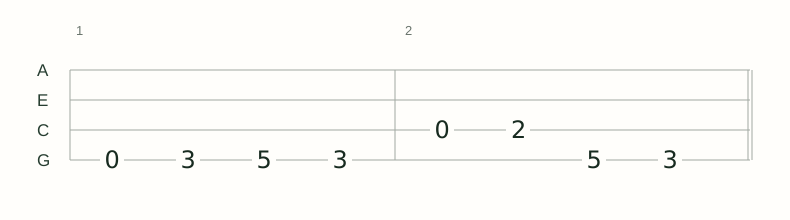
The ukulele editor opens a four-string track in standard high-G tuning and also offers a low-G preset. Enter the melody on the appropriate strings, adjust durations and listen back to the complete phrase.
Open the ukulele tab editorBuild a part you can return to
Keep the audio-derived notes and your arrangement in the same project. Save it to your library or keep a native project export. MIDI carries pitches and timing into another music tool; a text tab gives you a readable four-string part for practice.
Ukulele guides
- How to Write Ukulele Tabs: High G and Low G
Understand A–E–C–G tab lines, choose the right G-string register and write a playable ukulele melody.
- How to Transcribe a Ukulele Melody
Review pitches and rhythm from a recording, then arrange the melody on four strings in your ukulele tuning.
- How to Practise Fingerstyle Ukulele with Tabs
Follow the melody and accompaniment, check simultaneous notes and practise transitions in high-G or low-G tuning.
Frequently asked questions
Can I use a ukulele recording with the transcriber?
Yes. Upload the recording to generate editable pitches and timing, then review and arrange the part in the editor.
Is audio transcription the same as choosing ukulele frets?
No. Transcription identifies notes and timing. Your arrangement chooses strings and frets for the tuning you play, which you can write and adjust in a ukulele track.
Can I write the result in high-G or low-G tuning?
Yes. The ukulele tab editor has both tuning presets for arranging your part.
Can I start from an MP3?
Yes. Upload an MP3, WAV or another supported recording and select the passage to transcribe.